Redeeming discount codes on your Pushbio account helps you save money while accessing premium features.
To redeem your discount codes, follow these steps:
- Login to your Pushbio account;
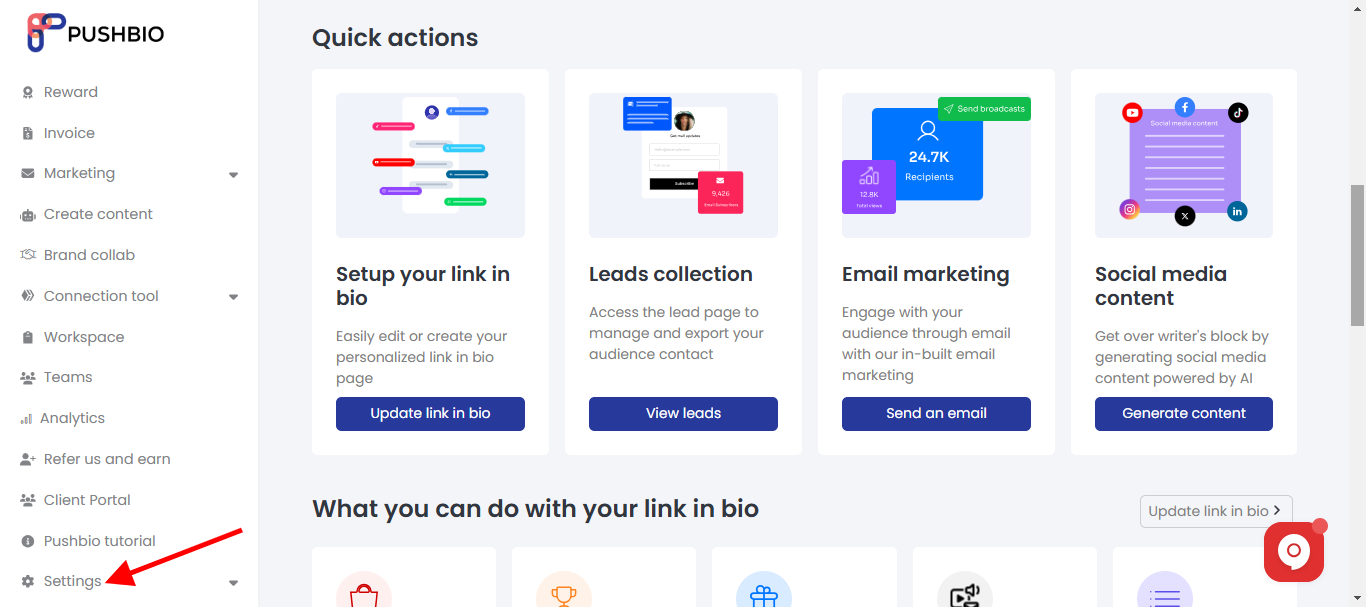
- From the user dashboard page, scroll to and click on 'Settings' tab on the left sidebar menu;
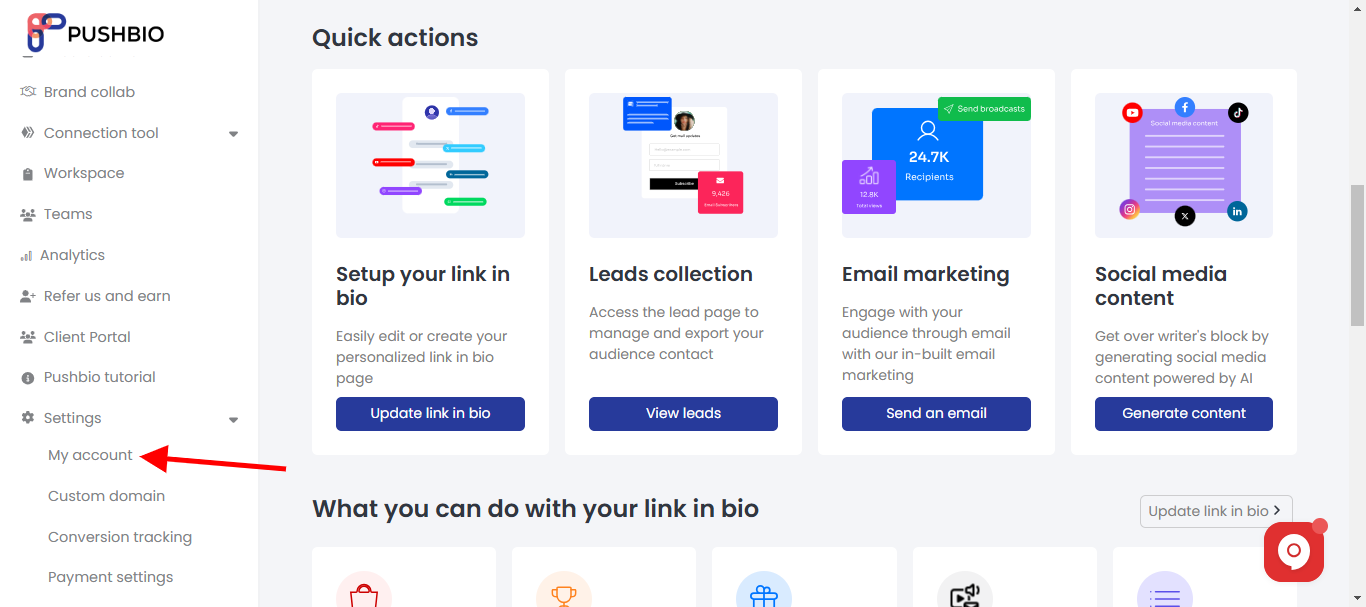
- From the dropdown list, click on the 'My Account' option;
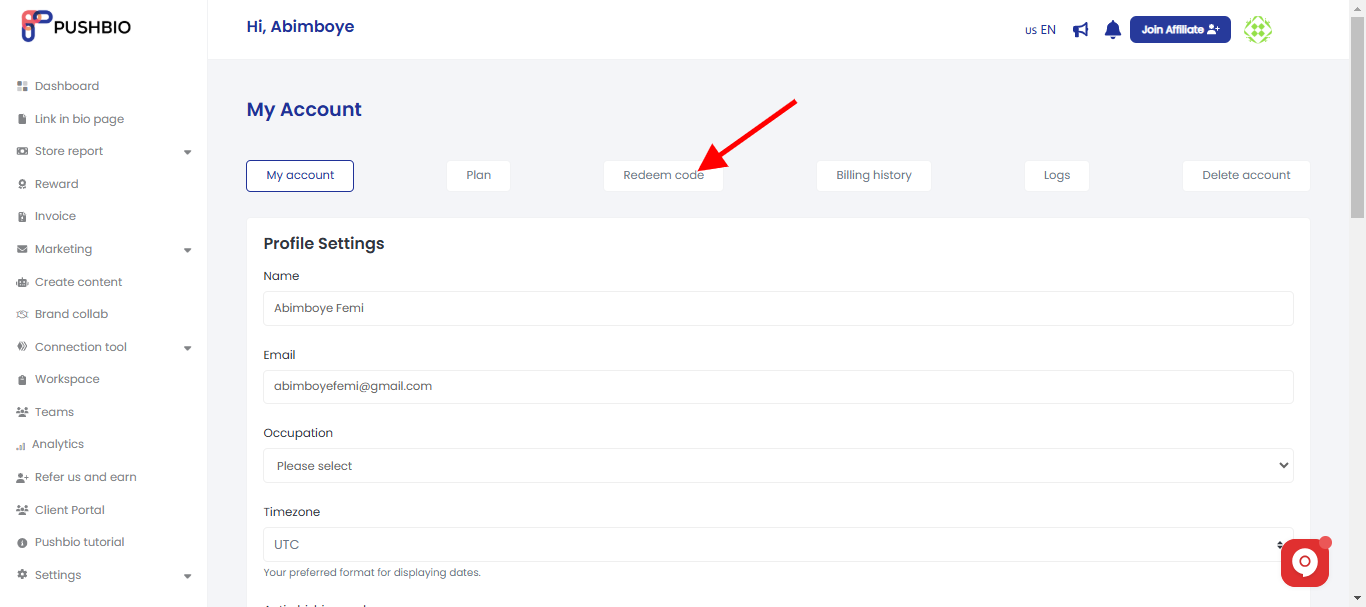
- On the next page, click on the 'Redeem code' tab;
- On the redeem page, select the plan for which you want to redeem a code by clicking on the space under 'Plan';
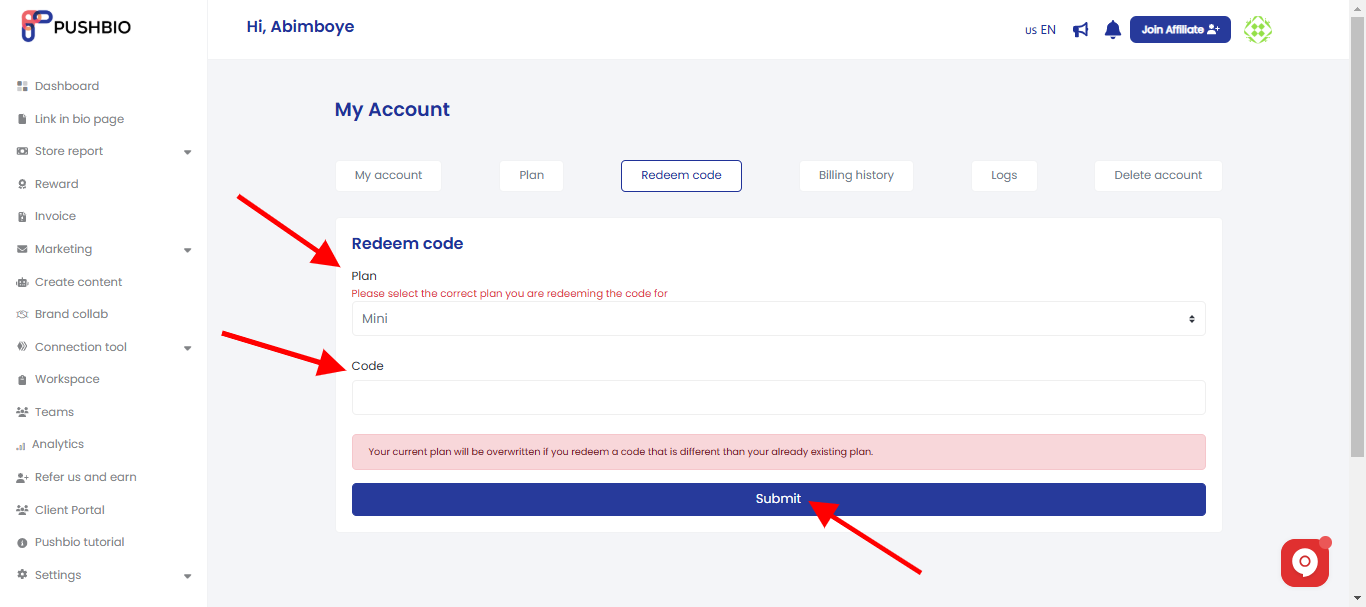
- Under the space labeled 'code,' enter your code into it;
- Once you are done, click on 'Submit' and the code will be redeemed.
Redeeming a code for a different plan will replace your current plan with the one linked to the code.
Read More:
